
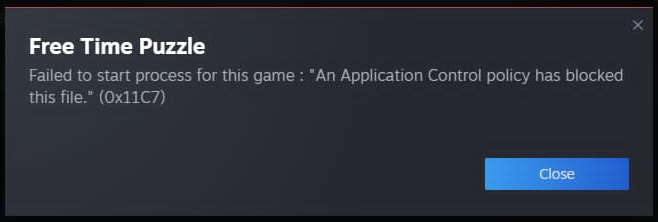
For a small number of Windows users Microsoft Access Control is blocking all software that isn't on their whitelist. What they want is for everyone to pay for security certificates. Many small indy developers (including myself) cannot do that. Here is how to tell Microsoft to allow the game to install on your system:
Open up Windows Security (just type it into Windows Search).
On the left, go to Virus & Threat protection.
Under Virus & threat protection settings, click Manage settings.
Scroll down until you reach Exclusions (should be the last thing), and then click Add or remove exclusions.
It'll create a pop-up, where you should simply click yes.
Click the + Add an exclusion button, and select Folder.
Navigate to the folder which you have your steam games installed. Default install location is C:\Program Files (x86)\Steam\steamapps\common
You should see a folder called Free Time Puzzle.
Selecting that folder will make it so any files and subfolders will not be checked by Windows Security.